Did a bunch of work on Sunlit and Epilogue this morning, submitted both new versions for approval. The next Epilogue has book barcode scanning! Should be handy when you’re in a bookstore and notice something to add to your to-read list.
-
-
Apple chose to make the screen slightly larger on the iPad Mini while reducing the overall size and bezels. I might’ve been interested in a smaller screen, lighter, but perhaps it’s a no-go at that price and when the iPhone Pro Max and Duo exist.
-
In the future, our job as programmers will be nothing except reviewing auto-generated slop grenades. There won’t be time for new features, but all of our servers will be really secure. 🤪
-
Inkwell’s Reading Recap feature (Premium-only) continues to churn in the background, doing what it was designed to do. Nice to use when traveling to catch up. Here’s a screenshot showing my own blog’s recap from the last week. It’s a unique and underrated feature.
-
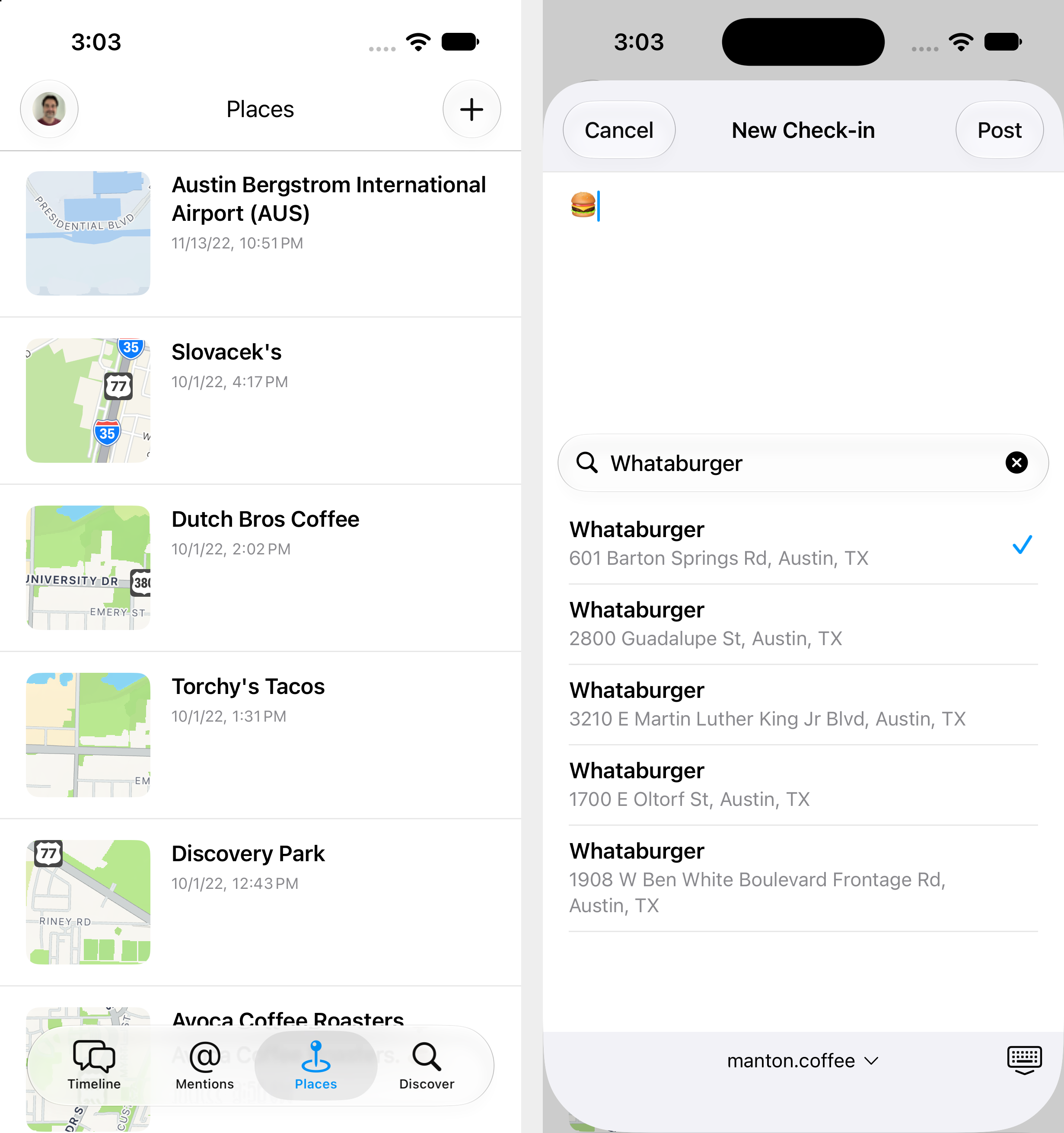
With Foursquare acquired by private equity, Swarm probably isn’t long for this world, so I’m getting serious about adding location check-ins to our iOS app Sunlit. The Micropub APIs have been there forever. First pass will use Apple Maps, then a custom places db later.
-
Went to church for the one-year memorial service for my mom this morning. The last year has been a blur. So much has happened, yet it also feels like almost no time has passed.
-

Watched: Klara and the Sun. Beautiful. It lives up to the book. 🍿
-
We are so used to the App Store model that I don’t think we pause enough to note that app distribution is actually clunky and slow now. In 1996 it was faster for me to do a Mac app build, copy it to a floppy disk, and drive to a friend’s house with it than it is to ship an iOS app in 2026.
-
Looking over Block’s voice model Dessa, this aside in the announcement post made me laugh:
LLMs need an insane amount of text. Dessa learned language from hundreds of times fewer words (in fairness, LLMs also have to learn C++ and whatever the hell Angular is).
-
Marco Arment blogs about community and his break from Mastodon:
My break from Mastodon has been a relief in some ways, as I’ve felt increasing divergence between what I wanted and what I was getting from it, but I didn’t know where else to go.
The social web is fragmented now. There’s no longer an obvious “quit Twitter and go to Mastodon” answer like there used to be. The solution is more blogs, of course!